Home Screen Blocks
Home Screen Blocks
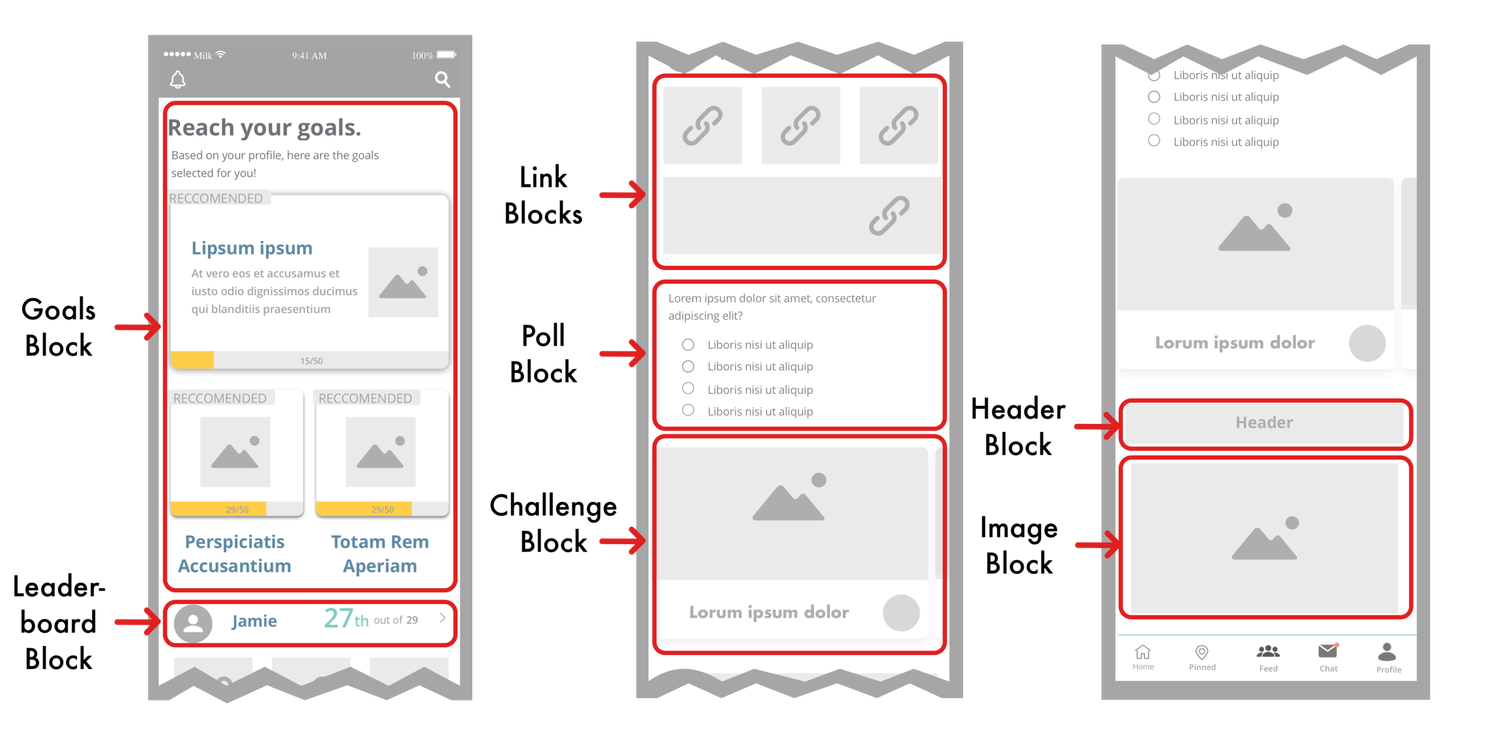
Our blocks make it easy to customize the home screen of your app. Every customer app comes with a default home screen which can be changed at any time by following the steps below.
Things to know
Here are some things to know before you start
-
Once you submit changes to the home screen of your app it will take around 1-3 business days for our team to fulfill your request.
-
The organization of your home screen is the same for every type of user.
-
The goals block, challenge block, and daily poll block will only display information relevant to the user, if there is nothing available then the block will shrink out of site.
Related Articles
How to Change your Home Screen Blocks
Step 1: Create an Outline Brainstorm with your team how you would like your home screen to look and create an outline. Step 2: Style your header blocks, image blocks, and link blocks Create visuals for your header, link, and image blocks. Option 1: ...Home Screen Ticket (How to Complete)
Table of Contents Overview Daily Polls Block Challenges Block Goals Block Leaderboard Block Link Block Headers & Images Block Spacer Block Survey Block Categories Block Built by MilkCrate Block Sub Screens Overview Our blocks make it easy to ...Layout and Blocks
Table of Contents Overview Block Types Overview Our blocks make it easy to customize the home screen of your app. Every customer app comes with a default home screen which can be changed at any time by following the steps below. Here are some things ...6.11.0 Share activities, display upcoming events on the home screen, and more!
March 22nd, 2021 Table of Contents Branding: Saving as a draft vs submitting for App Store update (click here) Home Screen Blocks: Goals carousel, upcoming events, links can now send users to the goals screen or a specific goal (click here) Survey: ...6.17.6 Survey Results, Event Guests, and More!
Summary Surveys: Users are now able to view their survey results inside the app! They can look back on a specific day, week, or 90-day timeframe. Home Screen Blocks: Now you can now make blocks only visible to a certain subset of users, there are now ...